Your party died again Controls and Options
Loot vacuum, ability clicks, autocast habits, and the Options toggles that change how the campaign feels.
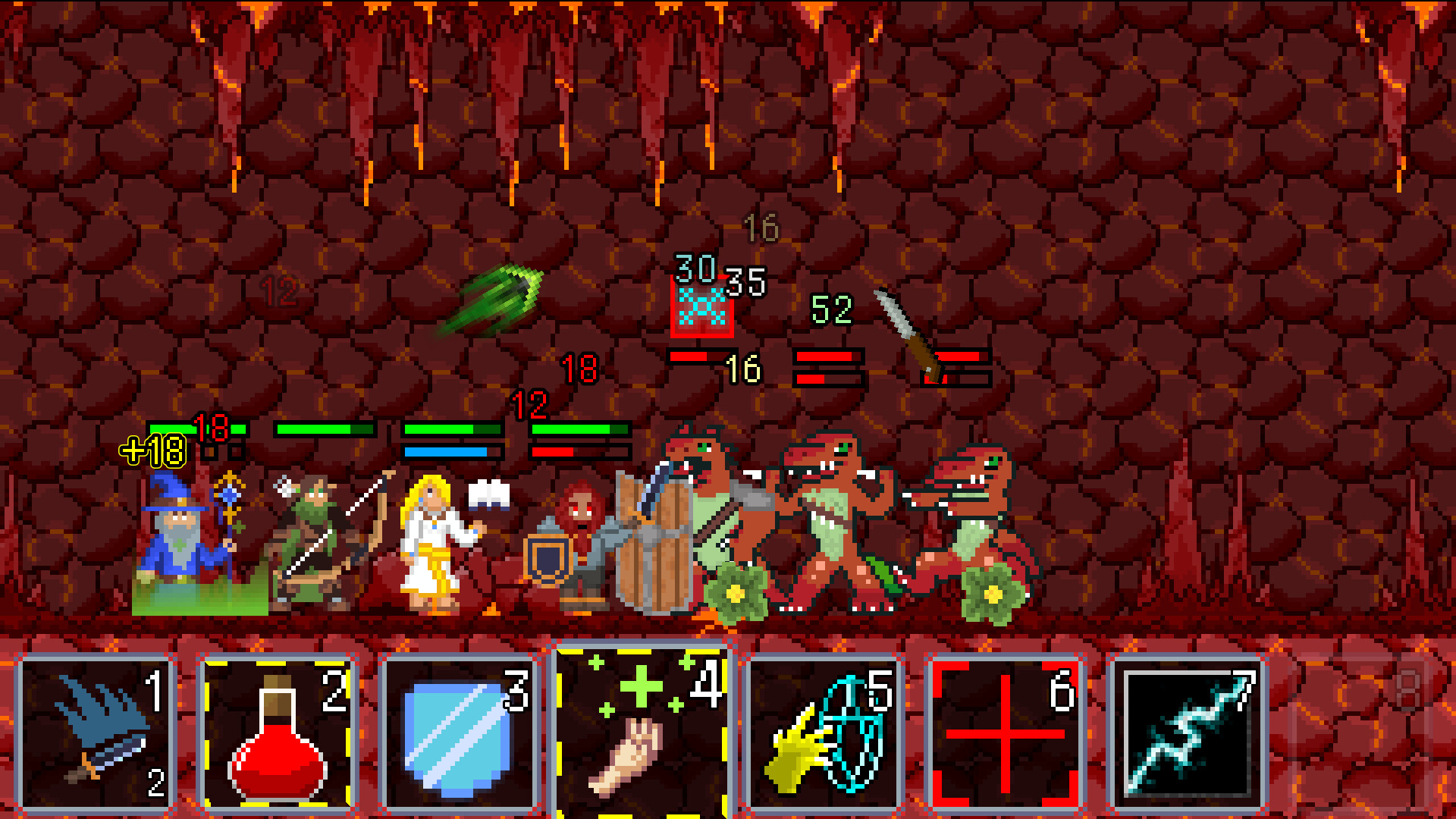
Your party died again is a low-APM incremental party RPG: heroes auto-fight while you collect loot, buy skill nodes, and fire or toggle eight abilities. That design only feels good if you know what the cursor, buttons, and Options menu actually do. This page is the practical controls companion to Getting Started and Abilities. Developer Branno deliberately avoided turning the game into a pure speed-slider idle—strategic ability timing is the point—so learning the few manual inputs matters more than memorizing a huge hotkey sheet.
Core inputs you use every run
Loot cursor
Coins and resources drop on the ground during combat and remain important on defeat screens. Move the cursor and pick them up. Forgetting the defeat-screen vacuum is the most common early mistake; permanent upgrades mean every wipe should still fund the next push. After a boss clear, vacuum before the victory UI steals your focus.
Ability buttons
Click an ability, then click a target when the skill needs one (Heroic Strike and Protect are the classic examples). Some tools are self-targeted or party-aware once upgraded—learn the prompt the first time you buy the node rather than assuming every skill is free-fire. Full kit notes live on Abilities and the hero pages under Players.
Autocast toggles
Each ability can be used manually or left on autocast for a more idle pace. Recommended habit:
- On while farming a cleared or easy stage
- Off for new elites, unique mechanics, and bosses (see Bosses)
The mid-November 2026 Demo Update improved Heroic Strike autocast so it avoids dumping a strike into a target it would massively overkill. That makes lazy autocast safer for farms, but bosses still want your brain.
Skill tree navigation
Open the trees, drag/pan if needed, and spend unique resources per hero across four trees and about 225 nodes. If a drag gesture feels sticky, release and click again—older demo feedback called out cursor-exit quirks; retail polish reduced friction, but deliberate clicks still beat frantic dragging mid-fight. Spend philosophy: Skill Trees and Party Builds.
Options menu essentials
Developer Commentary (English)
Branno added optional developer commentary just before launch (Steam news: November 22, 2026).
- Open Options.
- Enable Developer Commentary (English) — it is off by default.
- Click the audio icon buttons in the world (one on the main menu, one next to each dungeon).
There are eight tracks total. Commentary plays on the Master Sound channel and automatically lowers Music and Ambience by -10 while active. Tracks can continue between scenes; press M on the keyboard to stop early. Branno recommends beating the game first because a couple of lines spoil design reveals, but you can listen as you go. Deep feature context lives on Developer Commentary under Tools.
Audio and comfort
Use Master / Music / Ambience balances so commentary or combat SFX stay readable. The game ships with broad language support on Steam for interface, audio, and subtitles; commentary itself remains English-only.
Why there is no “win more” speed crutch
Branno publicly discussed how a blunt speed option nearly undermined the strategic layer: if you can simply accelerate past decisions, Heroic Strike targeting and heal mana choices stop mattering. The released game keeps pacing honest—progress comes from upgrades and better ability timing, not from a hidden turbo that deletes the puzzle. The embedded video on this page is that design talk; watch it if you are wondering why the Options menu stays lean.
Practical hotkey / habit sheet
| Action | How |
|---|---|
| Pick up loot | Cursor over drops (including defeat screen) |
| Fire ability | Click skill, then target if prompted |
| Autocast | Toggle per ability; off for bosses |
| Stop commentary | Press M |
| Enable commentary | Options → Developer Commentary (English) → audio icons |
| Respec planning | Open trees between pushes; farm previous level when stuck |
There is no complex WASD action combat layer—the party moves and fights on its own. Your skill ceiling is attention: noticing spears over the Warrior, witches that scale with lifetime, and when Protect must land on a backliner.
Session flow that respects the controls
- Start a push with autocast configured for the content difficulty.
- Vacuum loot continuously; never AFK the cursor on a pile.
- On a new mechanic wipe, open trees immediately and buy the answering node.
- Before a boss, flip autocast off and mentally assign Protect / Strike / Lightning.
- After a clear, vacuum again, then shop with the Walkthrough checklist.
- When you want design context, enable commentary from Options and use M freely.
Troubleshooting soft control issues
- Strike feels “stuck” after a misclick — cancel/reselect; avoid clicking consumables mid-target flow.
- Cannot grab coins after level-complete UI — grab during the window before the UI locks pickups; habitually vacuum earlier.
- Commentary too quiet / music fights it — remember Master channel ducking; raise Master or lower Music manually if needed.
- Autocast wasting ultimates — turn it off; do not blame the Mage kit.
Related reading
- Getting Started — first-hour loop
- Abilities — eight skills in depth
- Bosses — when manual control is mandatory
- Developer Commentary — eight tracks explained
- Updates — Demo Update and launch notes
- System Requirements — light Windows/Linux specs
Keep the rest of the wiki aligned: released November 23, 2026, Branno, single-player, seven levels, four heroes, 225 nodes, eight abilities, about five hours, Steam Windows and Linux.
Frequently Asked Questions
Quick answers to the most common questions.
Do I move heroes with WASD?
No. Heroes auto-fight. You collect loot with the cursor, buy skill nodes, and cast or autocast abilities.
How do I enable developer commentary?
Open Options, enable Developer Commentary (English), then click the audio icon buttons. Press M to stop a track.
When should I use autocast?
Use autocast for farms and easy packs. Turn it off for bosses and new mechanics so Protect, heals, and ultimates hit the right targets.
Why is there no simple speed slider?
Branno avoided a blunt speed option because it would erase strategic ability timing. Progression comes from upgrades and better decisions.
Can I pick up loot after dying?
Yes. Always vacuum coins on the defeat screen. Permanent upgrades make each wipe progress.