Your party died again System Requirements
Lightweight Steam specs for Windows and Linux—check before you install.
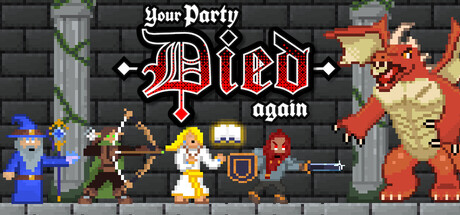
Your party died again is a deliberately light incremental RPG. Branno ships it on Steam for Windows and Linux with minimum specs that target older office PCs and modest laptops, not high-end gaming rigs. Use this page to verify you can install and run the game comfortably before you dig into the Getting Started guide or the Heroes Hub.
Windows minimum requirements
| Component | Minimum |
|---|---|
| OS | Windows 10 |
| Processor | Any CPU from 2012 or newer |
| Memory | 500 MB RAM |
| Graphics | Integrated GPU |
| Storage | 200 MB available space |
If your machine clears Windows 10, has a post-2011 processor, half a gigabyte of free RAM for the process, any integrated graphics, and 200 MB of disk, you meet the published bar. Dedicated GPUs are unnecessary for the 2D party auto-battler presentation.
Linux / SteamOS minimum requirements
| Component | Minimum |
|---|---|
| OS | Ubuntu 21.04 or compatible |
| Processor | Any CPU from 2012 or newer |
| Graphics | Integrated GPU |
| Storage | 200 MB available space |
Linux users should still install through Steam for Cloud saves, Achievements, and Family Sharing parity with Windows. Distros beyond Ubuntu 21.04 often work when Steam Proton/native stacks are healthy, but the store lists Ubuntu 21.04 as the reference minimum.
What “lightweight” means in practice
The campaign is about five hours with seven biomes, four heroes, four skill trees, roughly 225 skill nodes, and eight abilities. Visuals are 2D with readable combat, not open-world streaming. That keeps RAM and storage tiny compared to modern AAA installs. You can leave dozens of browser tabs open and still run the game on a machine that struggles with newer 3D titles.
Still respect the basics:
- Keep 200 MB free after Steam’s own overhead if your disk is nearly full.
- Close heavy GPU tasks if you are on a very weak integrated chip and notice hitching during dense particle moments.
- Use Steam Cloud so progress survives hardware swaps between a desktop and a Linux laptop.
Platforms and features tied to the install
- Single-player only — single-player only bandwidth concerns.
- Steam Achievements — track unlocks locally via Steam.
- Steam Cloud — sync saves between qualifying machines.
- Family Sharing — share the library copy under Steam’s usual rules.
Storefront truth can change; confirm live details via the Links Hub Steam store link if you are reading this long after launch.
Price and storage planning
At launch the game lists at $5.99 USD with an introductory price of $5.39 until December 7, 2026. Storage needs stay near 200 MB regardless of the sale price. Bundles that include other Branno titles will need more disk for those extra apps—budget separately if you buy a bundle.
Performance tips for low-end PCs
- Install on an internal drive with free space; avoid nearly full SD cards or dying HDDs.
- Play on battery-saver modes only if thermals throttle hard—otherwise prefer balanced power.
- If UI scale feels large on a small laptop screen, adjust OS scaling rather than expecting a heavy graphics menu.
- Autocast-heavy sessions are easier on attention than on hardware; FPS issues are more often background software than the game itself.
- After a Demo Update or full release patch, verify integrity of game files in Steam if something fails to launch.
Accessibility of the design versus hardware
Low APM optional play (abilities on autocast) makes the game approachable on weak machines and for players who cannot mash buttons. Manual Heroic Strike, Protect, heals, and Chain Lightning still matter on hard biomes—see Abilities and the Tier List Hub—but none of that raises the GPU bar.
Developer commentary (English), toggled in options after launch with eight tracks and M to stop, is audio overhead, not a graphics pack. Headphones help; a discrete sound card does not.
Troubleshooting checklist
- Will not launch on Windows: Confirm Windows 10+, update GPU drivers even for integrated chips, run Steam as a normal user first.
- Will not launch on Linux: Verify Ubuntu 21.04+ equivalent libraries, try Steam’s default runtime, check the Steam discussions linked from the Links Hub.
- Save missing: Confirm Cloud sync is enabled and you are on the same Steam account used during the demo transfer window if you migrated progress.
- Stutter on ability spam: Close overlays/recorders; the min spec assumes a quiet background.
Where to go after you pass the spec check
- Install and follow Getting Started.
- Plan unlocks with the Heroes Hub and Tier List Hub.
- Route biomes via the Walkthrough.
- Read expectations on the Review page.
- Watch patch context on the Updates Hub.
- Return to the Tools Hub for other utilities.
If your PC meets the tables above, you are ready. The Demon King does not care about ray tracing—only whether your Warrior still has Protect when the spears start flying.
Frequently Asked Questions
Quick answers to the most common questions.
Can I run Your party died again on integrated graphics?
Yes. The published minimum lists an integrated GPU for both Windows and Linux.
How much disk space do I need?
About 200 MB available storage for the game install, plus whatever Steam itself requires.
Is macOS supported?
The Steam store lists Windows and Linux. Check the live store page via the Links Hub if platform support expands later.
Does Linux get Steam Cloud and Achievements?
Yes when you play the Steam build—those features are tied to the Steam version rather than the old itch prototype demo.